How to automate document parsing with Parsio and n8n
Automate document parsing with Parsio and n8n. Learn how to connect Parsio to n8n and build a workflow that imports files from Google Drive and parses them automatically.

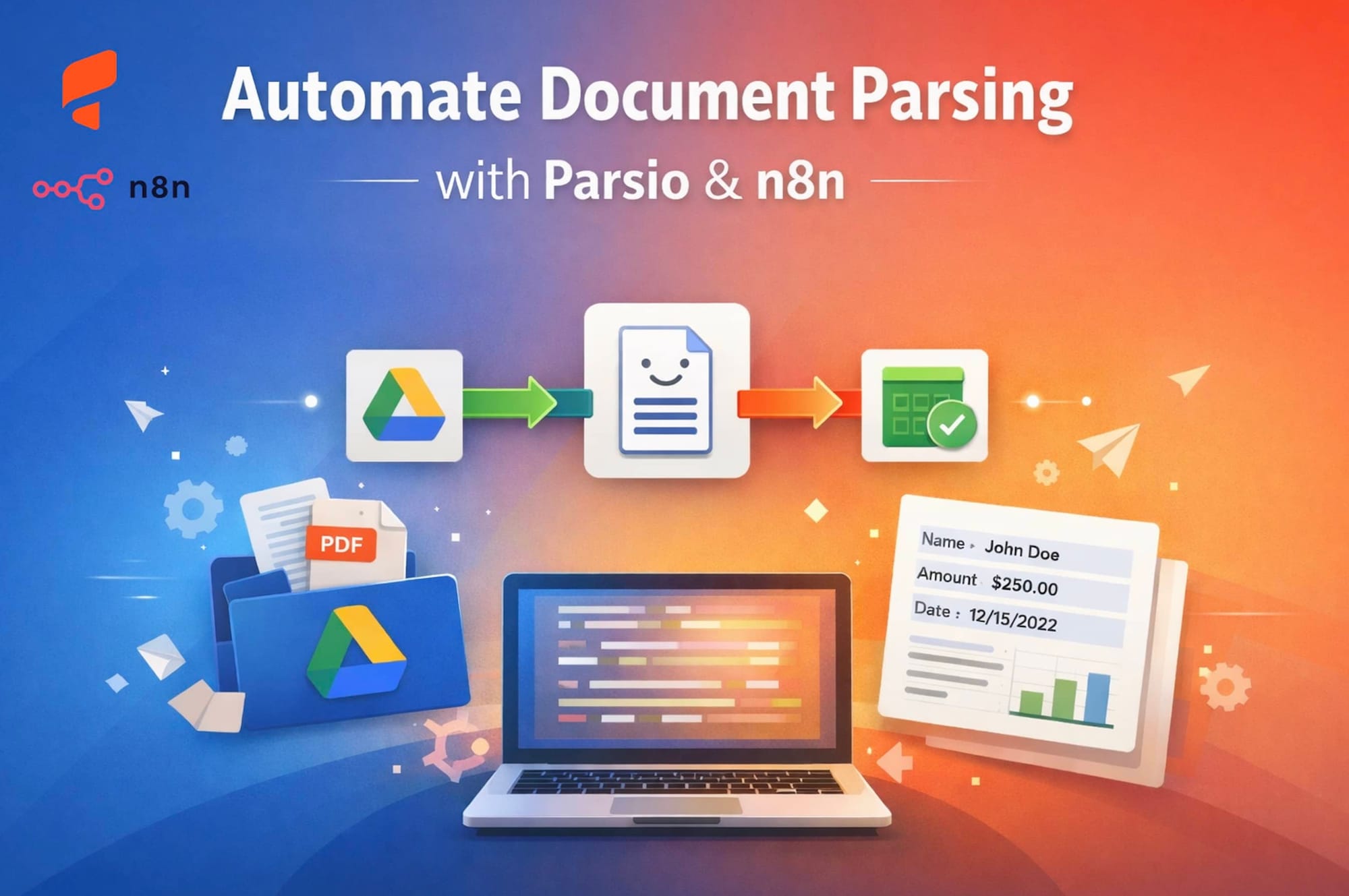
In this article, we’ll walk through how to connect Parsio with the open-source automation platform n8n to build powerful document workflows — including an example that automatically imports files from Google Drive into Parsio for parsing.
🔗 What is the Parsio n8n integration
Parsio offers an official n8n integration that makes it easy to automate document parsing and route extracted structured data to other apps, spreadsheets, databases, CRMs, or custom APIs.
Key capabilities
- Upload documents for parsing
Send PDFs, images, Word files, email files, and more via the Parsio node. - Trigger when a document is processed
n8n workflows can act on structured data once Parsio finishes parsing. - Seamless routing to apps and tools
Connect parsed results to Google Sheets, databases, internal APIs, CRMs, Slack, etc.
Authentication
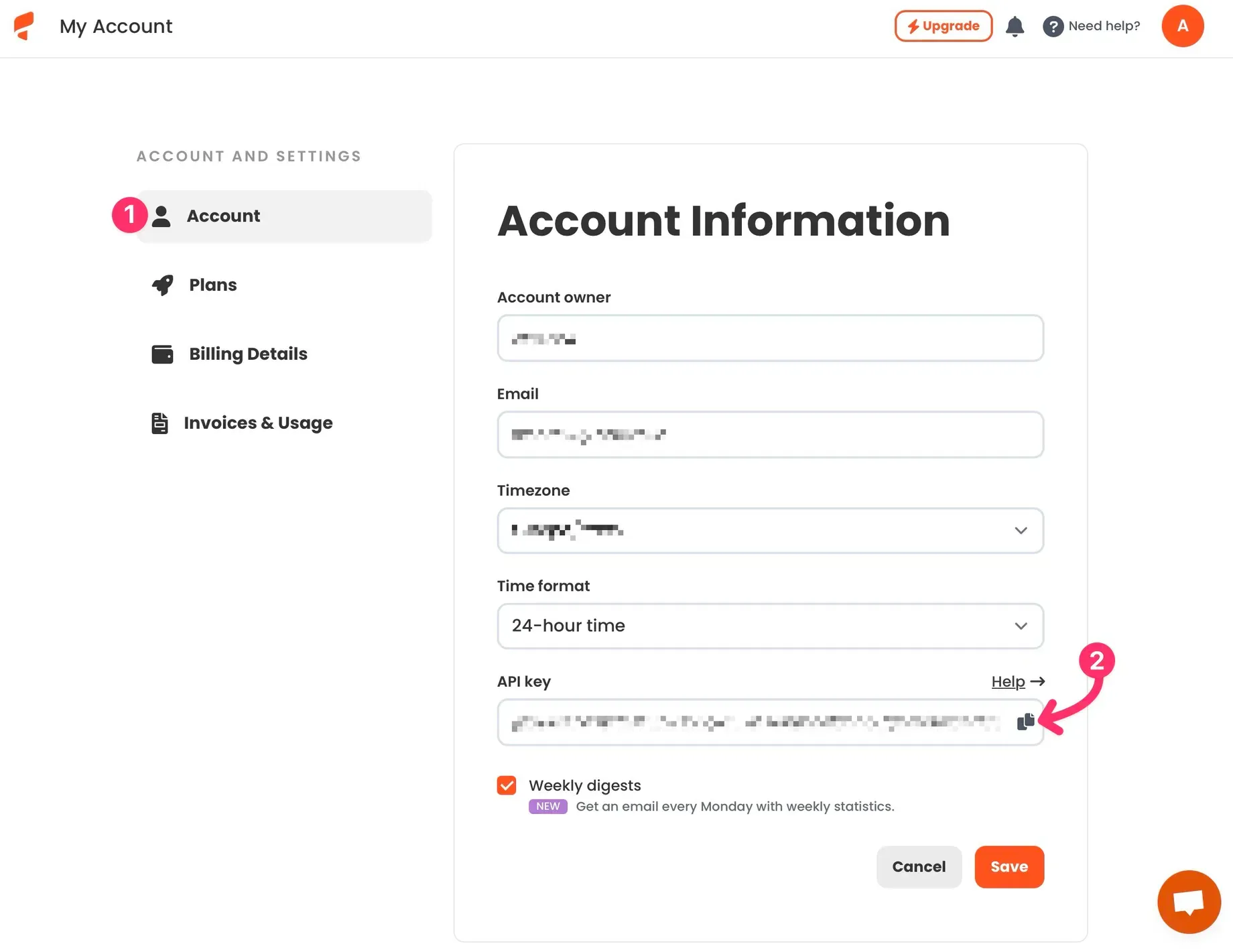
To connect Parsio with n8n you’ll need an API key from your Parsio account. No OAuth is required, making setup fast and simple.
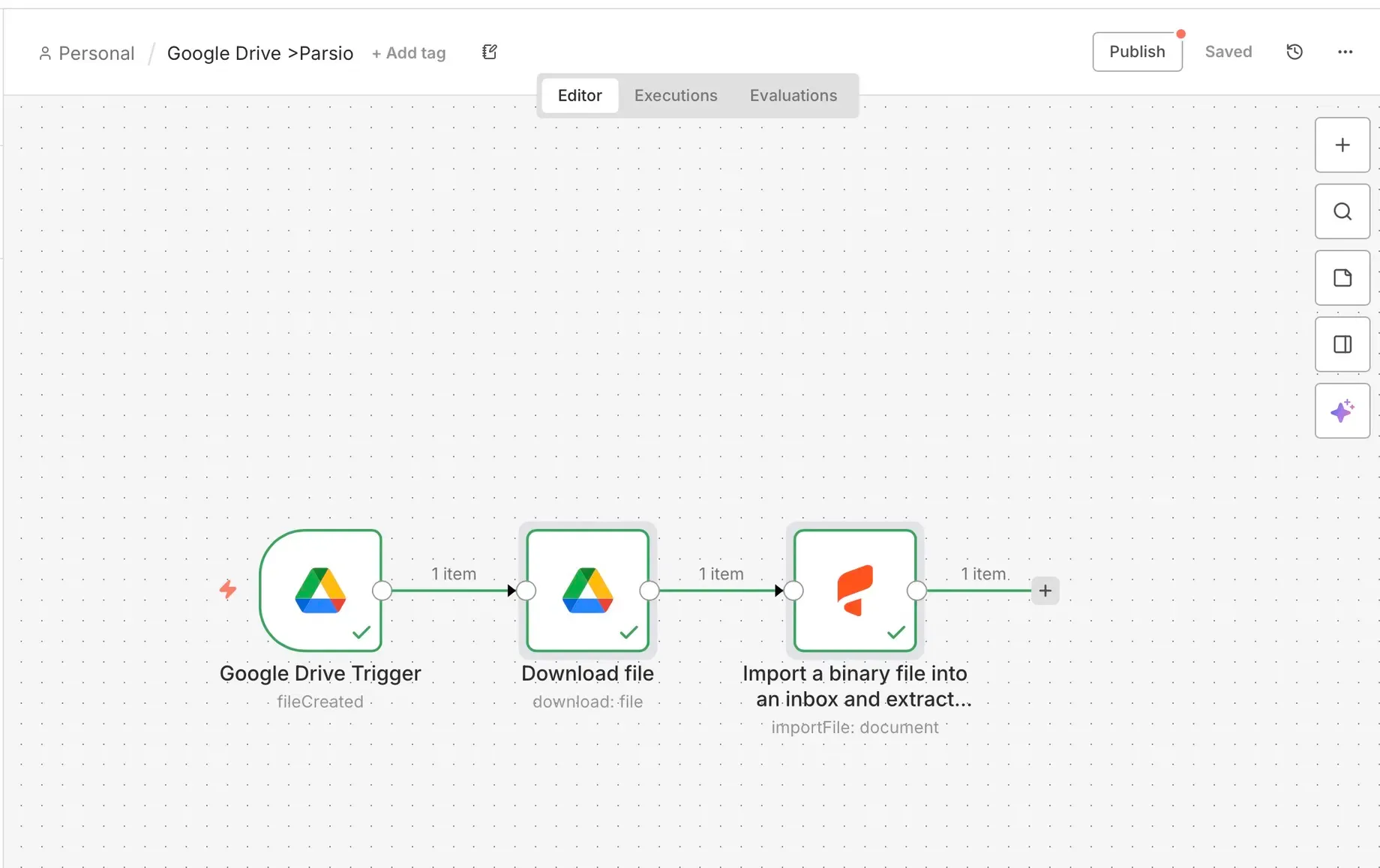
How it works — overview
- Create a workflow in n8n.
- Use a trigger (e.g., folder changes in Google Drive).
- Download the new file from Drive.
- Send the document to Parsio’s import action.
- Automatically parse and route the extracted data.
📁 Real example: Importing files from Google Drive
Here’s a step-by-step automation that watches a Google Drive folder and sends new documents into Parsio for parsing.
📝 What you need
- A Parsio account with an inbox and parsing rules set up.
- An n8n instance (Cloud or self-hosted).
- A Google Drive account and a folder to watch.
1️⃣ Create a folder in Google Drive
Make a dedicated folder (e.g., Parsio Input) where you will upload documents that should be parsed.
2️⃣ Start a new n8n workflow
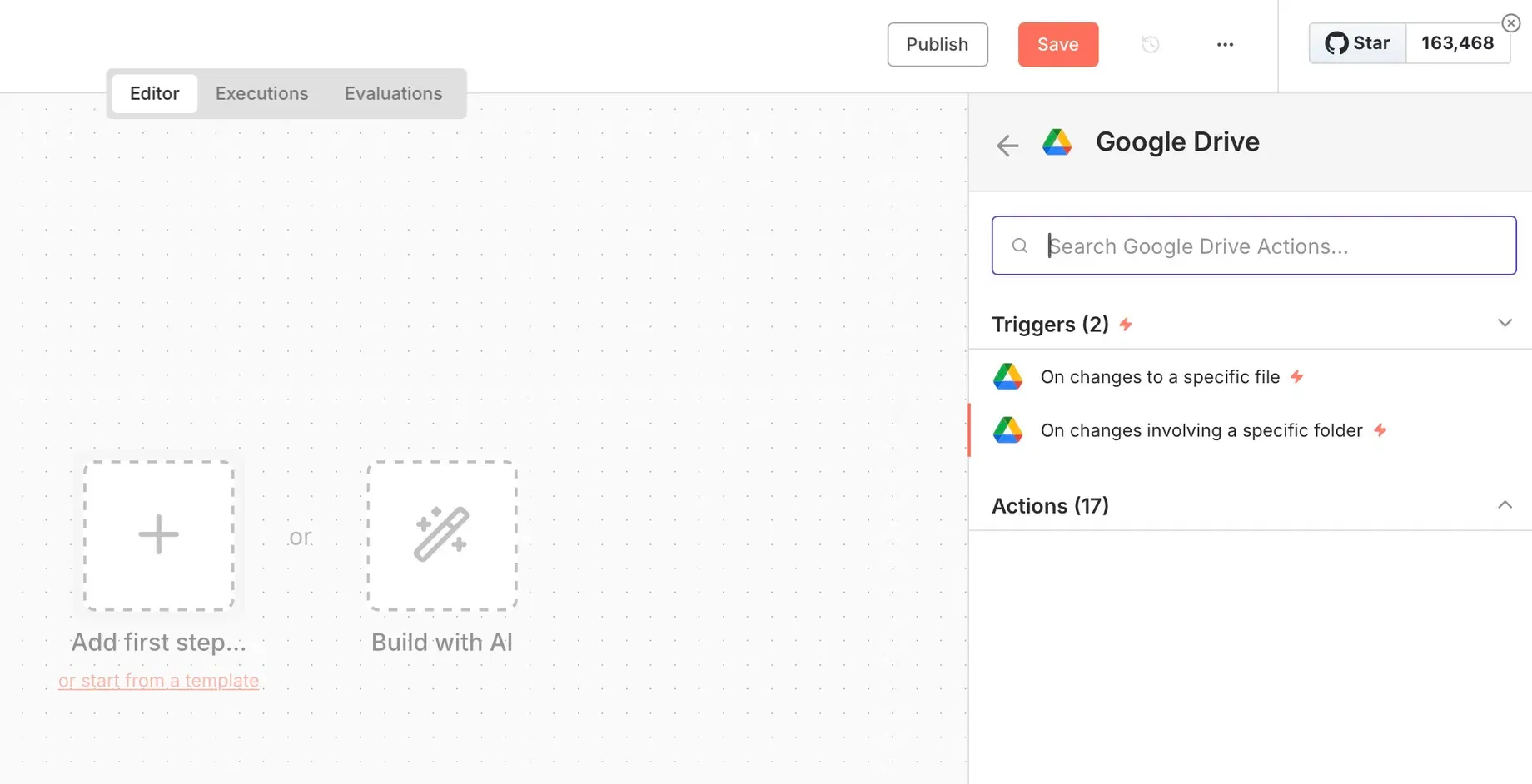
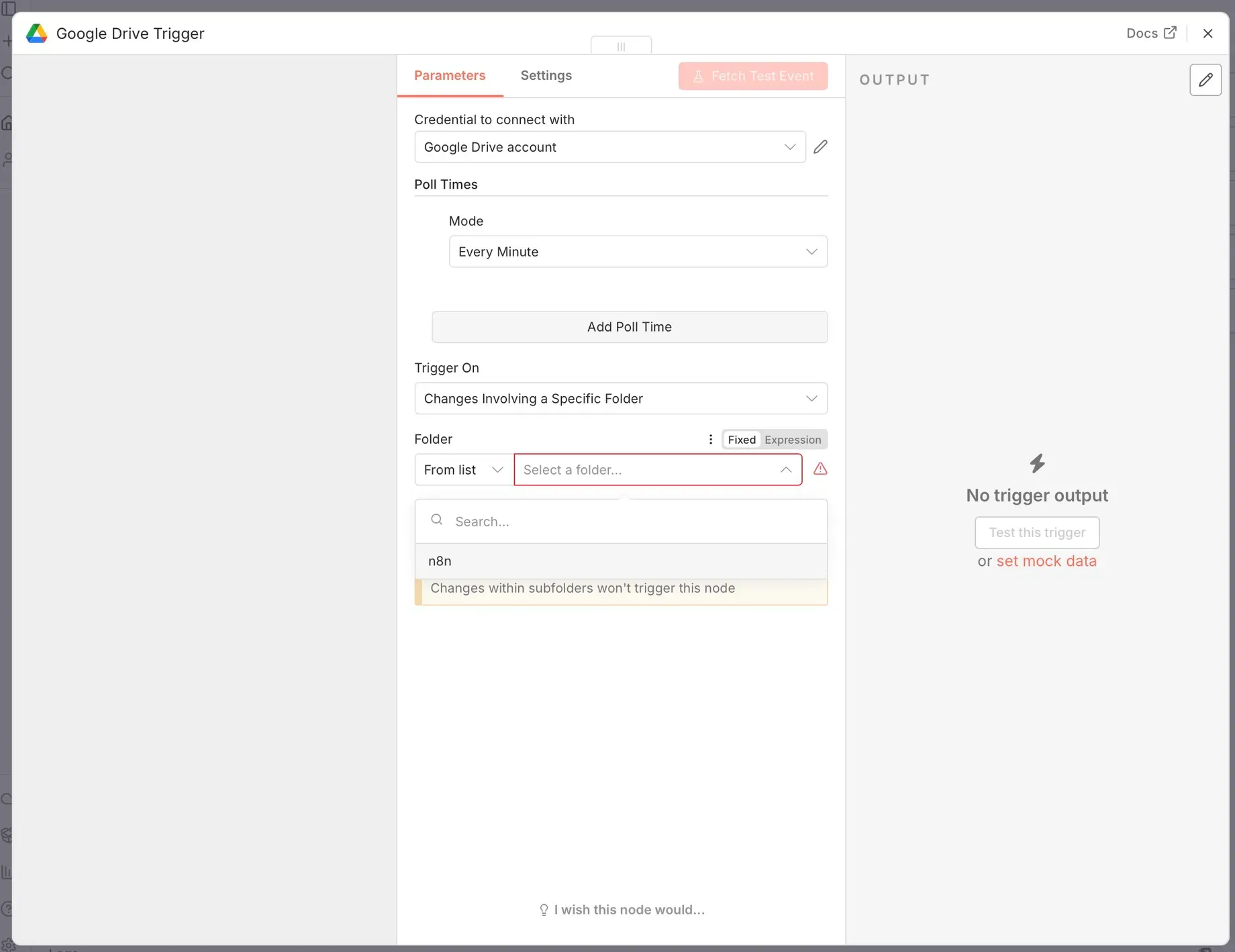
In n8n, create a new workflow and add a Google Drive trigger node:
- Select the trigger: Webhook → On changes involving a specific folder.
- Choose your Drive folder to monitor.
- This watches for new files.
3️⃣ Configure Google Drive authentication
Set up Google Drive credentials in n8n by creating a Google Cloud project and OAuth credentials (standard for Drive integrations). Follow this guide:
https://docs.n8n.io/integrations/builtin/credentials/google/oauth-single-service/
Once connected, test it with an upload to confirm the trigger works.
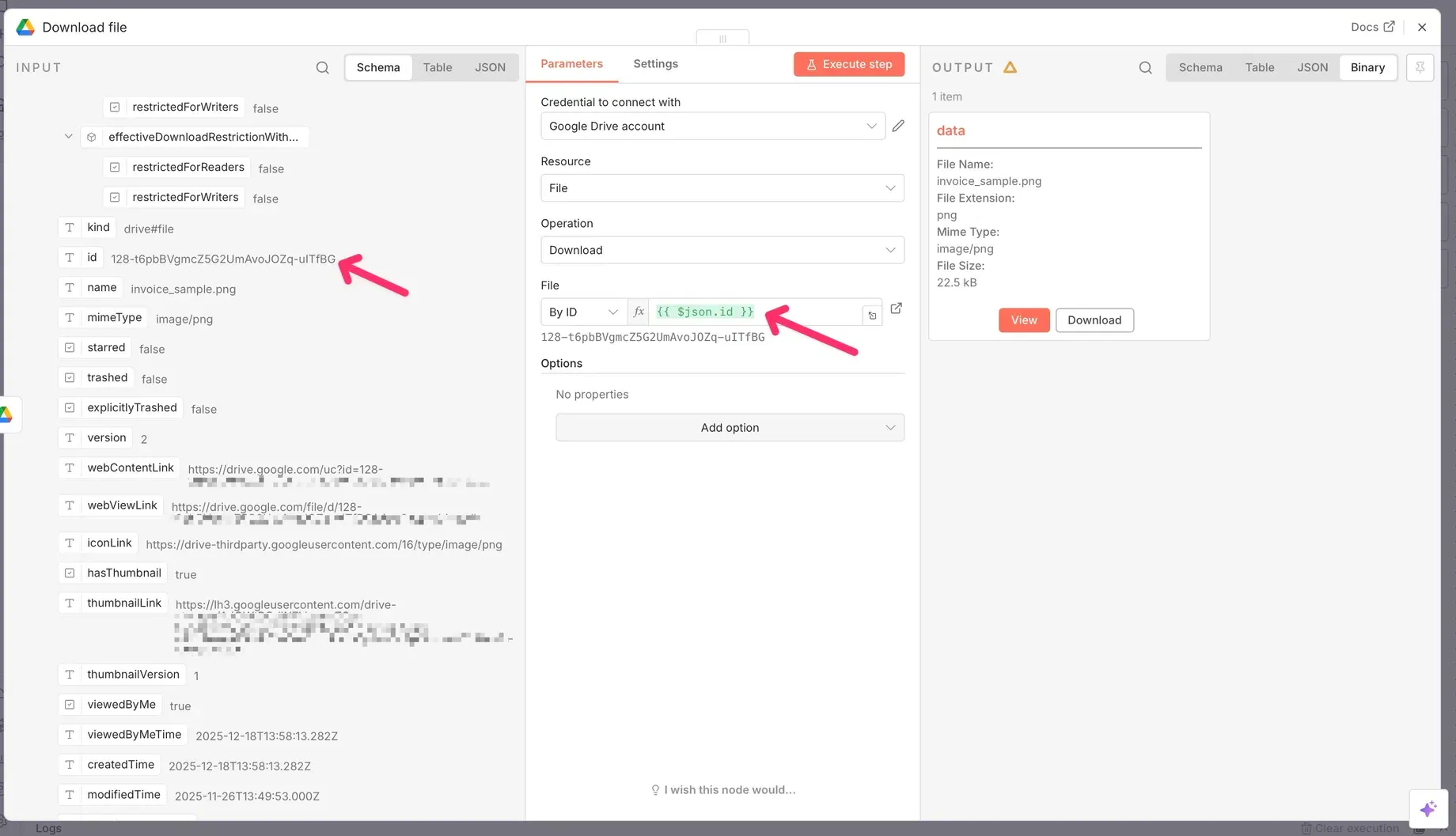
4️⃣ Download the file in n8n
Add a Google Drive → Download File action:
- Resource: File
- Operation: Download
- File:
{{ $json.id }}— this ensures the workflow downloads the exact file that triggered the event.
5️⃣ Add the Parsio node
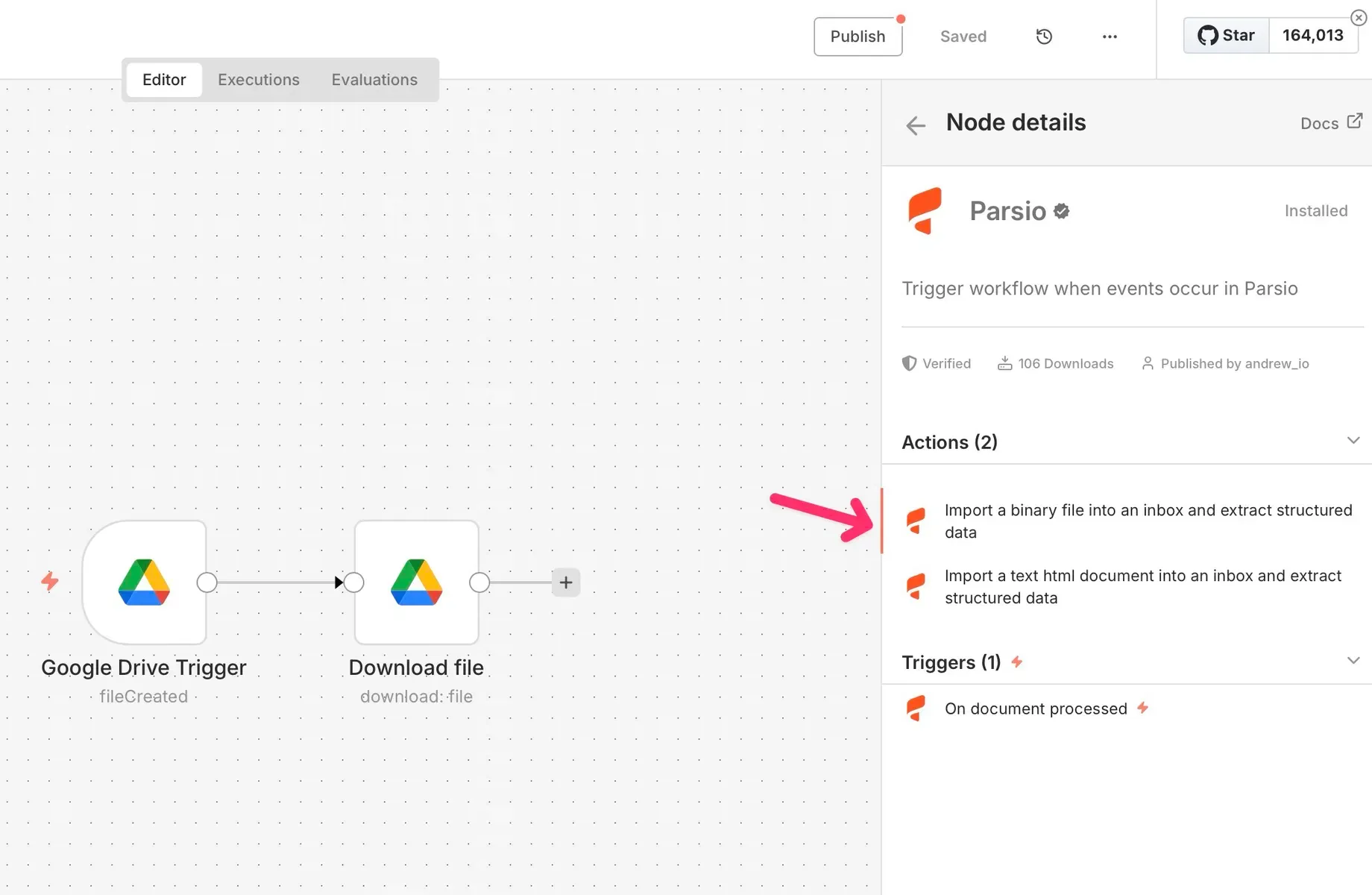
Install and add the Parsio node from the node panel:
- Choose the action: Import a binary file and parse document.
- This will send the downloaded file to Parsio for parsing.
6️⃣ Connect your Parsio account
In the Parsio node:
- Create new credentials.
- Paste your Parsio API key from account settings.
- No OAuth setup is required.
7️⃣ Configure the import node
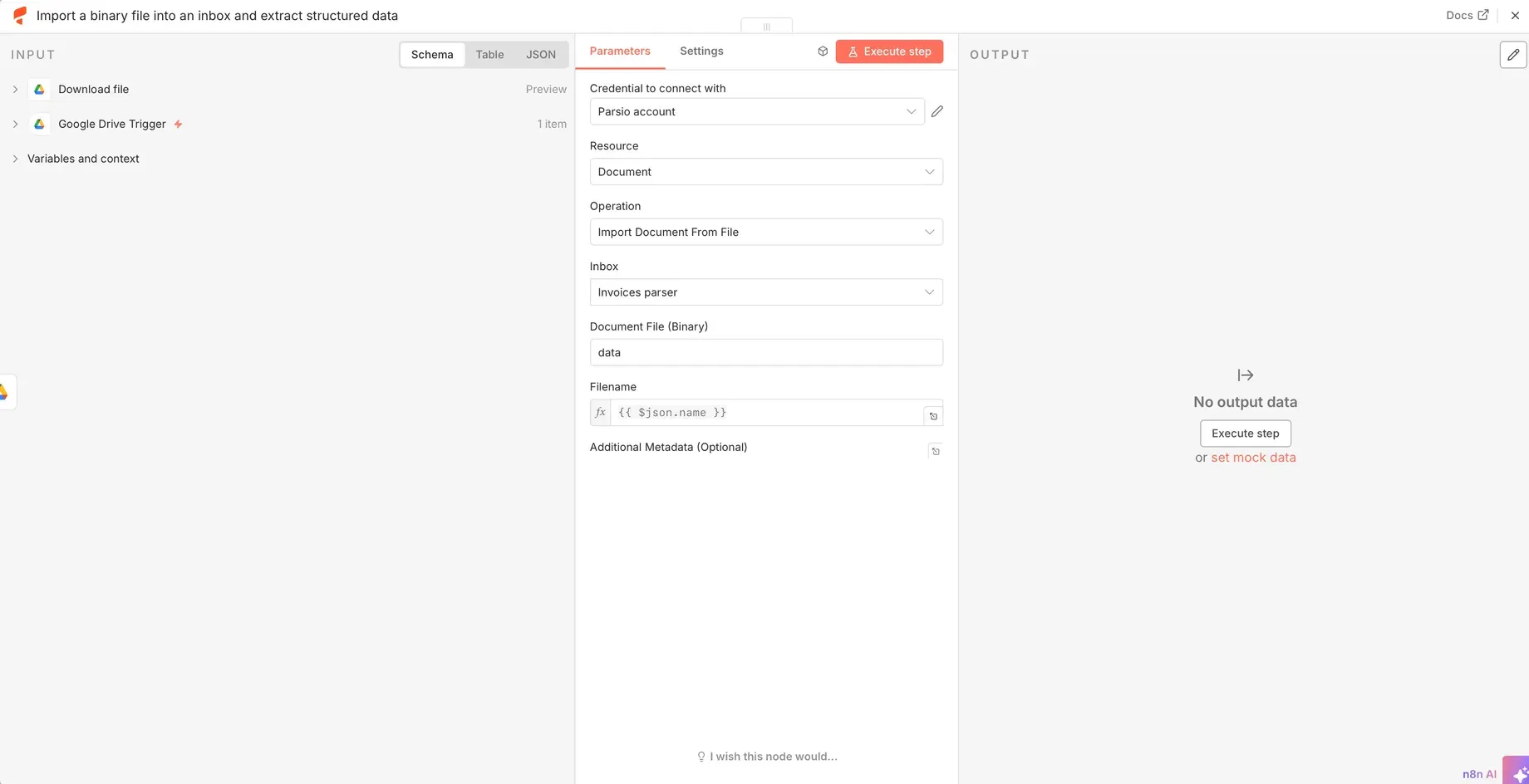
Inside the Parsio node:
- Inbox: select the target inbox where documents should land.
- Document file (Binary): set to the downloaded file from Drive.
- Filename: set to
{{ $json.name }}for readability.
Optional: send metadata for context in parsing results.
8️⃣ Run, test and publish
Test the workflow in n8n:
- Upload a file to your Google Drive folder.
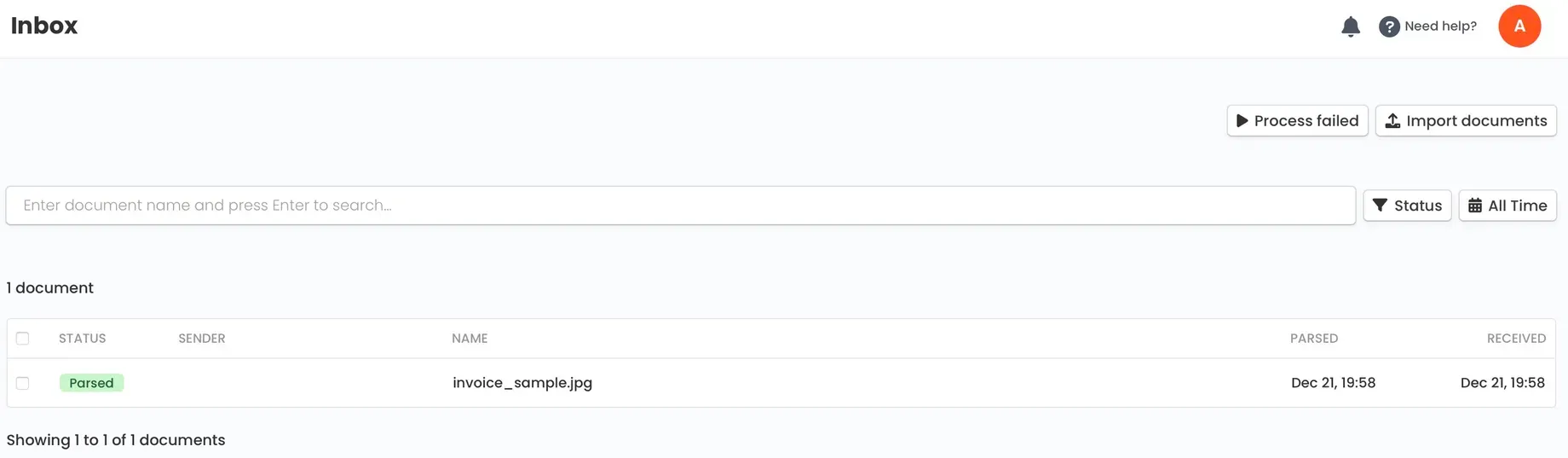
- n8n will download it, send it to Parsio, and your parsing rules run automatically.
- Once successful, publish the workflow so it runs continuously.
📊 What this enables
With this automation in place:
- Every time a file lands in your Drive folder, it’s parsed automatically.
- You can then route parsed results to other tools via additional n8n nodes (e.g., Google Sheets, Airtable, CRM).
- No manual uploading or exporting needed.
👉 Tips and ideas
- Combine filters in n8n to only process certain file types (PDF, DOCX, etc.).
- Add validation or transformation logic before or after parsing.
- Push parsed data into analytics or billing systems automatically.
✨ Summary
The Parsio + n8n integration lets you:
- Automate document parsing at scale without manual steps.
- Create workflows triggered by cloud storage events (Google Drive, S3, etc.).
- Combine parsed data with 1,000+ n8n integrations for routing and actions.