How to Extract Data from Delivery Notes Automatically
Delivery notes arrive as PDF attachments and scanned files, often re-keyed by hand into ERP or warehouse systems. Here is how to automate delivery note data extraction and route structured fields directly into your workflow.

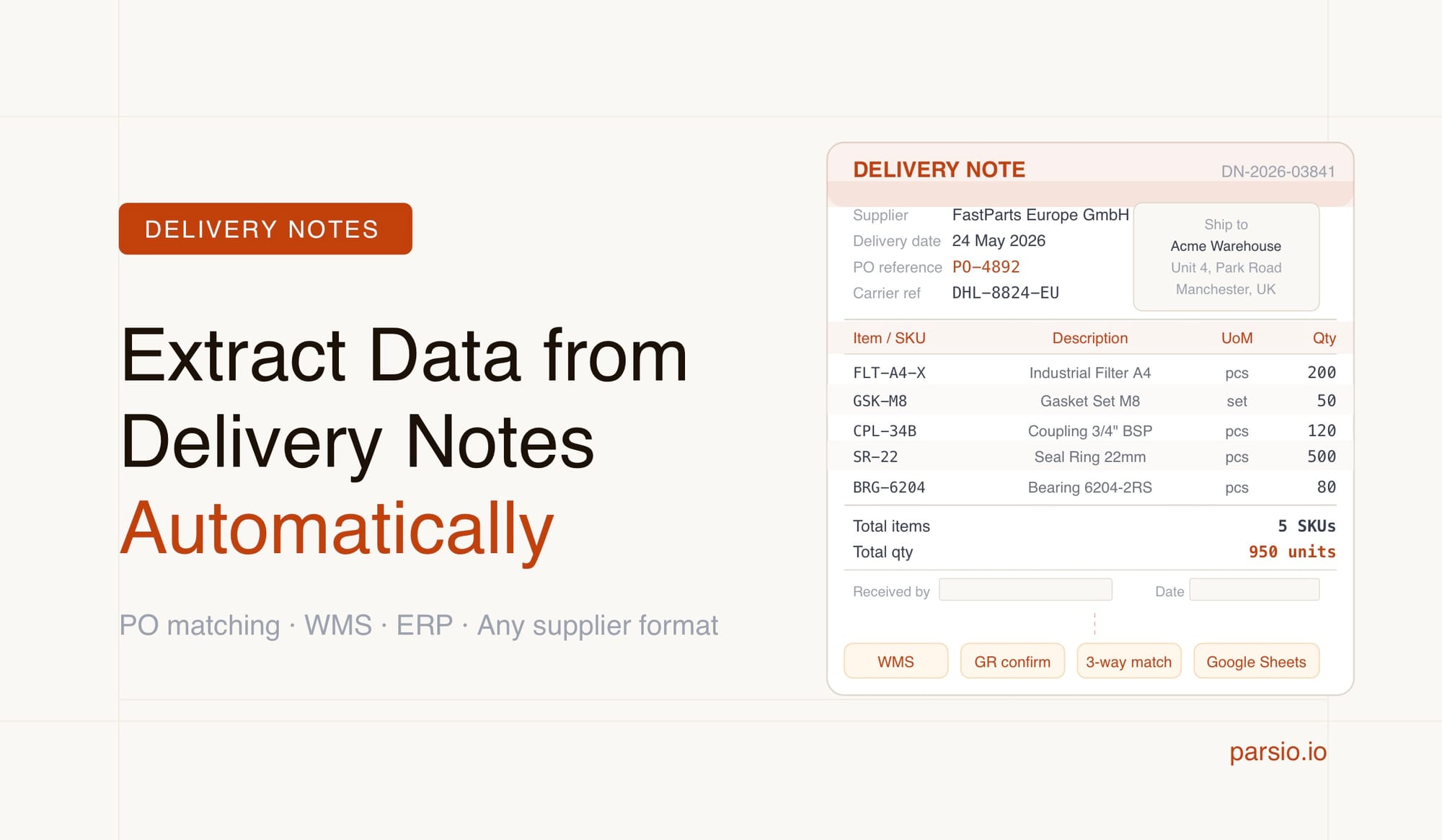
You can extract data from delivery notes automatically by sending the PDF or image to a document parser that captures key fields — delivery date, supplier name, purchase order number, line items, quantities, and recipient address — without manual re-keying. Parsio handles this with its AI-powered PDF parser for machine-generated documents, or its GPT-powered parser for delivery notes with variable layouts from multiple suppliers, then routes the structured output to your ERP, warehouse system, spreadsheet, or webhook.
Delivery notes arrive every day in operations and warehouse teams, usually as PDF attachments in supplier emails or as scanned paper documents. The information inside — PO numbers, quantities, item codes, delivery addresses — needs to match what was originally ordered before goods are accepted and invoices approved. When that matching relies on manual entry, it slows receiving workflows, introduces transcription errors, and creates a growing backlog every time volume increases.
Automating delivery note extraction removes the data-entry step without requiring custom software development. A document parser reads the incoming PDF, identifies the structured fields, and sends them to wherever your workflow needs them — a shared Google Sheet, a webhook into your WMS, or a Zapier trigger that creates a goods receipt entry. Teams that automate this step report significantly faster goods receipt processing and a clean digital audit trail for every delivery.
What Is a Delivery Note and What Data Does It Contain?
A delivery note — also called a packing slip, despatch note, or goods delivery note depending on your industry — is the document that accompanies a physical shipment. It confirms what was sent, in what quantities, and to which recipient. Delivery notes are not invoices: they do not request payment. Their purpose is goods verification, and they are typically the first physical document in the purchase-to-pay cycle.
The fields that matter most for operations and finance workflows are:
- Delivery note number — the supplier's unique reference for the shipment
- Delivery date — when goods were dispatched or expected
- Purchase order number — the buyer's reference, used to match the delivery against the original order
- Supplier name and address
- Recipient name and delivery address
- Line items — each product or SKU with its description, quantity, and unit of measure
- Total quantity
- Carrier reference or tracking number when present
In regulated industries — food, pharma, and manufacturing — delivery notes may also include batch numbers, lot codes, or serial numbers for traceability purposes. These are worth extracting as additional line-item fields if your downstream system uses them for compliance or quality tracking.
Why Manual Delivery Note Processing Creates Problems
Processing delivery notes by hand is slow even at moderate volumes. A warehouse team handling 50 deliveries per day may spend two to three hours daily on data entry alone — comparing each note against the corresponding purchase order, entering quantities into a system, and filing the paper copy or emailing a summary to the finance team. At 100 or more deliveries per day, manual processing requires dedicated headcount just to keep up.
Accuracy is the deeper issue. Transcription errors in PO numbers or quantities create mismatches that trigger payment disputes, incorrect stock levels, and delays in goods receipt confirmation. A single digit wrong in an item code can mean a shipment is accepted in the warehouse but never matched to the open purchase order in the AP system, stalling the entire payment cycle until someone investigates.
Delivery notes also arrive in inconsistent formats. Different suppliers use different PDF layouts, field labels, and line-item structures. A team relying on manual entry adapts to each format on the fly, which adds cognitive load and slows processing further. Automated extraction removes the layout problem entirely: AI models read fields by context rather than position, so they work across supplier formats without requiring a separate template per vendor.
Choosing the Right Parser Type for Delivery Notes
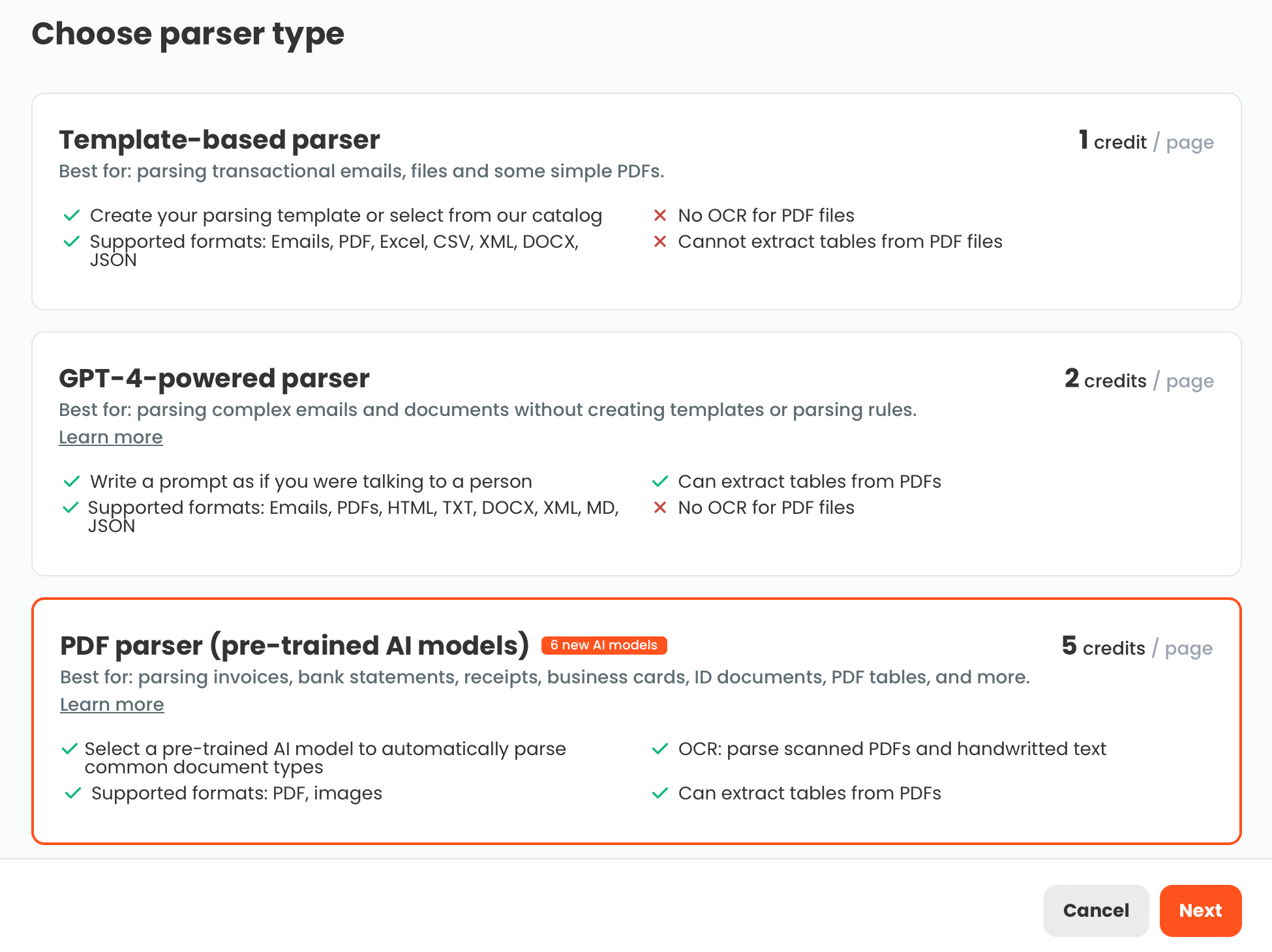
Parsio offers four parser types, and delivery note extraction works well with two of them depending on the source and format of your documents.
AI-powered PDF parser — the right choice when delivery notes arrive as machine-generated PDFs from a supplier's ERP or invoicing platform. These files contain selectable, machine-readable text. Parsio's pre-trained models read the document structure and extract fields without any template configuration. If your main suppliers consistently send clean PDF delivery notes, this parser gives you accurate extraction with minimal setup.
GPT-powered parser — the right choice when delivery notes come from many different suppliers with different layouts, or when some documents are scanned images with variable formatting. You define the fields you want in plain language — delivery note number, PO number, quantities, line items — and Parsio's GPT model identifies where each field appears regardless of how the document is laid out. This parser is especially well-suited to teams that receive delivery notes from dozens of vendors, each using a slightly different format.
The template-based parser is less suitable for delivery note workflows. Templates work well for machine-generated emails with a fixed, predictable structure — order confirmations, shipping notifications from a single platform — but not for multi-supplier document sets where each vendor uses a different PDF layout. Building and maintaining one template per supplier is impractical at scale.
The OCR converter should not be used for delivery note extraction. It converts documents to raw text rather than extracting named fields. Use it only when you need readable plain text from a file, not when you need structured data like PO numbers and quantities pulled into a schema.
How to Set Up Delivery Note Extraction in Parsio
Most teams complete the initial setup in under an hour for a clean PDF workflow, or a couple of hours for a multi-supplier GPT configuration. The process follows six steps:
Step 1 — Create a Parsio inbox. Log in at parsio.io and create a new inbox. Give it a name that is clear to your team, such as "Delivery Notes" or "Goods Received." Each inbox gets a dedicated email address where documents can be forwarded automatically from your email client or supplier communication rules.
Step 2 — Choose your parser type. Select the AI-powered PDF parser for clean machine-generated documents. Select the GPT-powered parser for variable-format or multi-supplier delivery notes. For scanned image PDFs, enable OCR within the parser settings so Parsio reads the image content before extraction runs.
Step 3 — Define the fields you need. For the GPT parser, describe each field in plain language. Typical definitions for delivery notes include: delivery note number, delivery date, purchase order number, supplier name, recipient name, delivery address, and line items with item description, quantity, and unit of measure. The clearer and more specific your descriptions, the more reliably the model finds each field across different layouts.
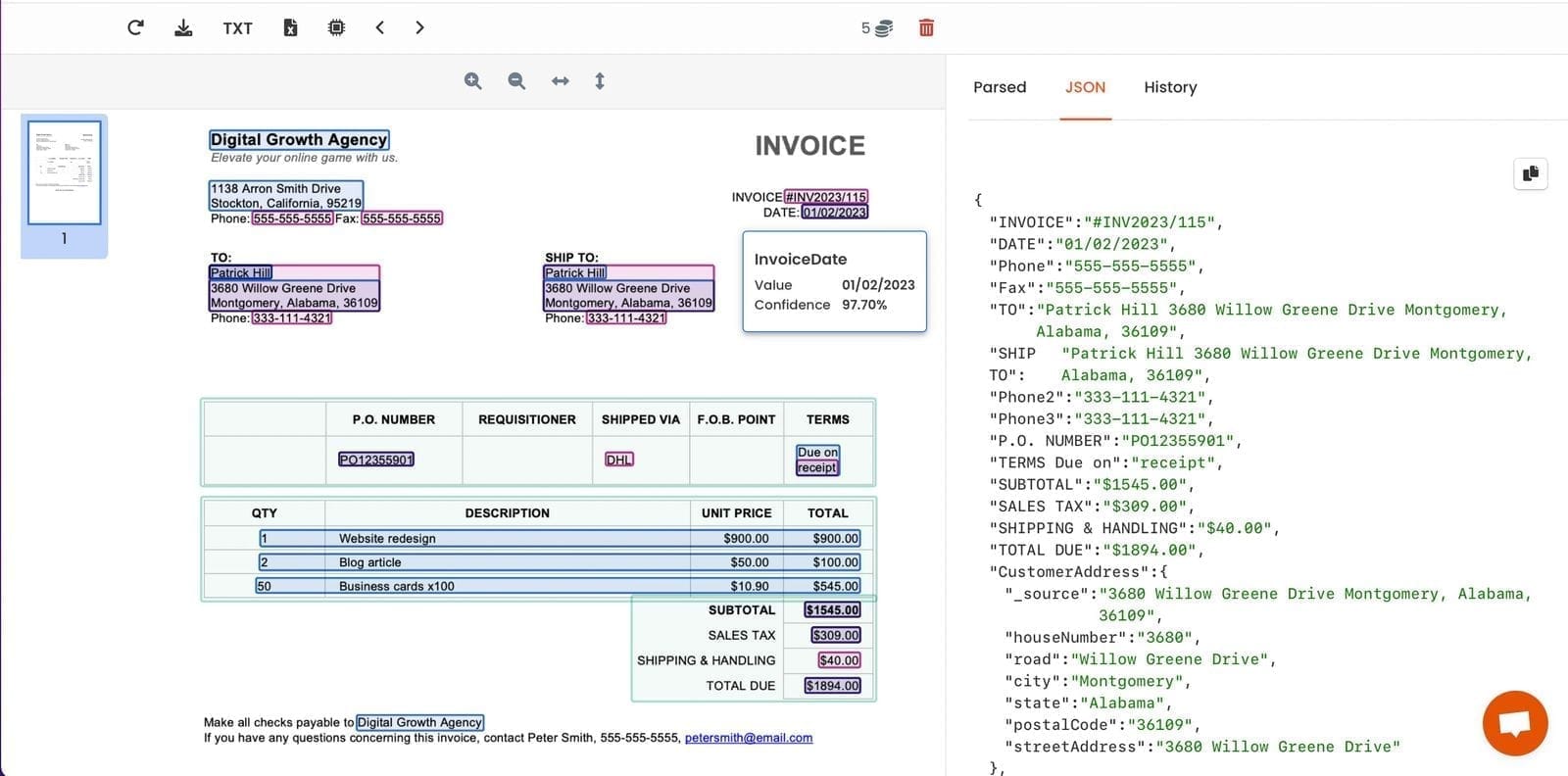
Step 4 — Upload a sample document and test. Import a representative delivery note from one of your main suppliers. Parsio runs extraction and shows the result alongside the original. Verify that each field is captured correctly, that line items appear as individual rows rather than a collapsed text block, and that numerical quantities are clean values without trailing unit labels attached.
Step 5 — Connect your export destination. Set up the downstream integration — Google Sheets for a shared review log, a webhook for real-time delivery to your ERP or WMS, or a Zapier or Make workflow for additional automation steps. For high-volume goods receipt workflows, a webhook into your inventory system is the most direct path.
Step 6 — Start routing documents through the inbox. Configure your email client or supplier rules to forward delivery note emails to the Parsio inbox address. From this point, extraction runs automatically: the email arrives, Parsio detects the PDF attachment, extracts the delivery note fields, and sends the data to your configured destination without any manual step.
Where to Send Extracted Delivery Note Data
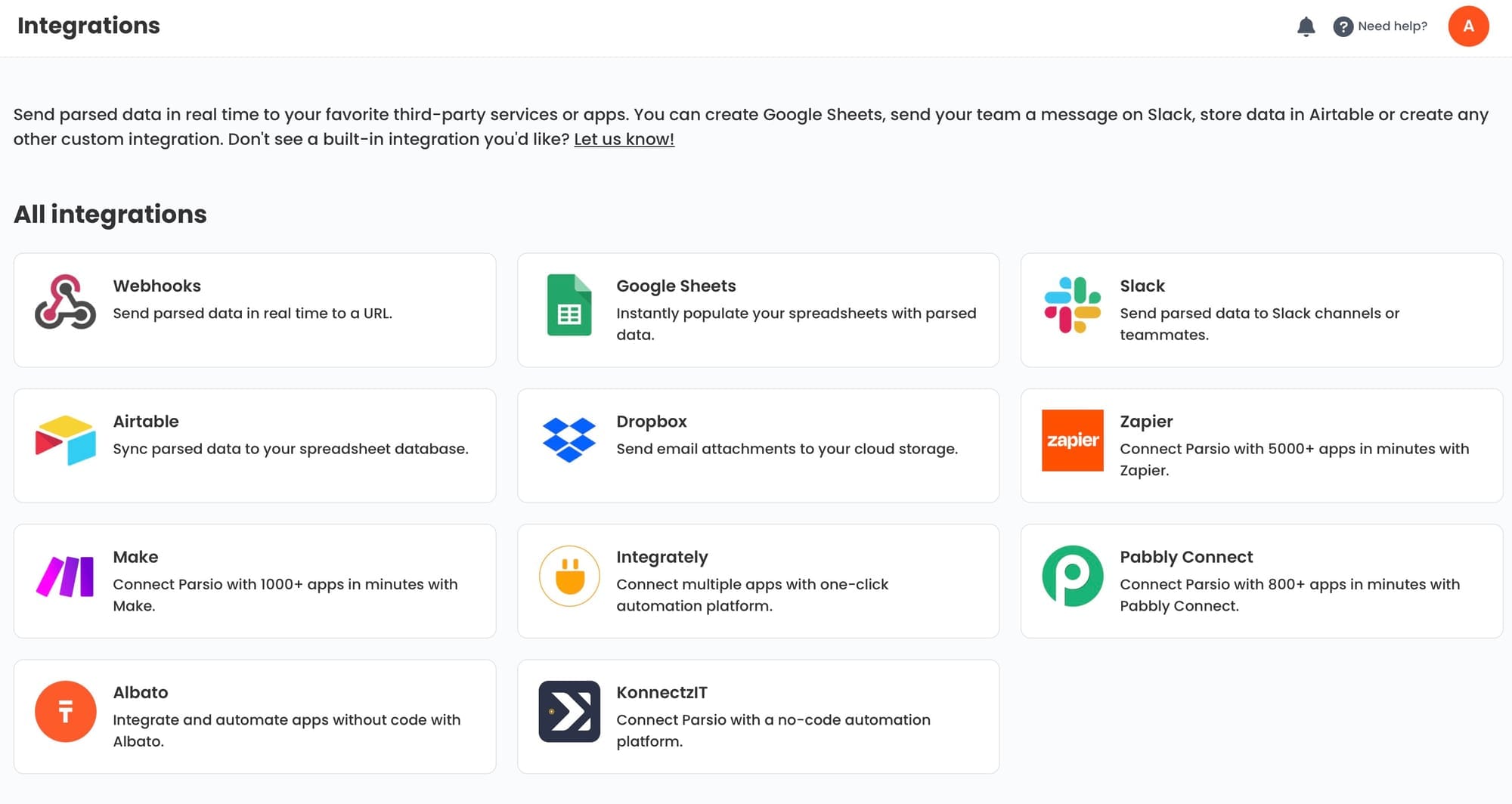
Once Parsio extracts the delivery note fields, the structured output can go to several destinations depending on your team's tools and workflow preferences:
- Google Sheets — a practical option for small to mid-sized operations teams. Each delivery note becomes a row; each extracted field becomes a column. You can add columns for matching status, discrepancy flags, or goods receipt sign-off without any additional tooling.
- Webhook — the right path for teams with an existing ERP, WMS, or inventory system that accepts API input. Parsio sends a JSON payload with all extracted fields to your endpoint, and your system creates or updates the goods receipt record automatically.
- Zapier or Make — useful when you want additional automation steps after extraction without writing code. Common patterns include: create a task or record when a delivery note is processed, send a Slack notification to the receiving team, or log the delivery to Airtable with a reference back to the supplier.
- CSV or Excel export — a periodic batch option for teams that prefer manual review cycles. Parsio stores all parsed documents and allows CSV downloads at any time, which works well for weekly goods receipt reporting.
Connecting Delivery Note Extraction to Broader Workflows
Delivery note extraction delivers the most value when it fits into a broader goods receipt and reconciliation workflow. The purchase-to-pay cycle involves three core documents: the purchase order, the delivery note, and the supplier invoice. Automating extraction for all three means every document in the cycle is structured data from the moment it arrives, rather than a PDF someone has to open and read manually before any action can happen.
With delivery note data in structured form, matching against purchase orders becomes straightforward. If both document types are extracted into the same Google Sheet or database, a lookup rule can flag quantity mismatches, missing line items, or PO numbers that do not correspond to any open order. This is the foundation of three-way matching — comparing the PO, delivery note, and invoice to verify that payment is appropriate before releasing the AP record.
Teams already using Parsio for invoice extraction can add a second inbox for delivery notes and connect both to the same Google Sheet or webhook endpoint. The result is a consistent data structure across all three document types, making reconciliation faster and reducing the risk of paying for goods that were not delivered as ordered. The delivery note data also feeds naturally into supplier statement reconciliation for teams running end-to-end AP automation.
Frequently Asked Questions
What is the difference between a delivery note and an invoice?
A delivery note is a logistics document that accompanies a physical shipment and confirms what goods were sent, in what quantities, and to which recipient. It is created by the supplier at the point of dispatch and has no financial value — it does not request payment. An invoice, by contrast, is a financial document that bills the buyer for goods or services provided. In the purchase-to-pay cycle, the delivery note typically arrives first: the buyer verifies the delivered goods against their purchase order, accepts the delivery, and the supplier then issues an invoice for the accepted quantity. If the delivery note and the invoice show different quantities, that discrepancy must be resolved before payment can be approved. Automating extraction from both document types makes this comparison faster and significantly less error-prone than checking two separate PDFs by hand each time a delivery arrives.
What fields should I extract from a delivery note?
The fields worth extracting depend on how you use delivery note data downstream. For most operations and finance teams, the core set includes: delivery note number, delivery date, supplier name, purchase order number, recipient name, delivery address, and line items with item description, quantity, and unit of measure. If your workflow tracks shipments in transit, also capture the carrier reference or tracking number. If you run three-way invoice matching, the purchase order number is the most critical field — it is the shared reference that links the delivery note to both the original order and the supplier invoice. In regulated industries such as food, pharma, or manufacturing, batch numbers and lot codes are worth adding as additional line-item fields for traceability and compliance. Start with the minimum field set your current workflow requires and extend from there as the process matures.
Can Parsio handle delivery notes from multiple suppliers with different layouts?
Yes. The GPT-powered parser is designed specifically for this scenario. Each supplier formats their delivery notes differently — different field labels, different column arrangements, different page structures. A template-based parser would require one template per supplier layout, which is impractical once you are dealing with more than a handful of vendors. The GPT parser takes a different approach: you define your target fields once in plain language, and the model determines where each field appears based on contextual understanding rather than positional matching. A field described as "purchase order number" will be found whether the document labels it "PO No.," "Order Reference," or "Customer PO" — the model reads intent, not the exact string. Teams receiving delivery notes from dozens of suppliers typically find the GPT parser far more scalable than maintaining per-supplier templates, and the setup overhead is limited to defining your field list once rather than building a new template for every new vendor you onboard.
What happens with scanned or partially handwritten delivery notes?
Scanned delivery notes — where someone has printed, signed, and rescanned a document — are image PDFs rather than machine-readable PDFs. Parsio can still extract data from these, but OCR must be enabled in the parser settings so the system converts the image to readable text before field extraction runs. Most printed delivery notes scan clearly and extract reliably when scan quality is reasonable — black text on white paper at standard document resolution works well. Partially handwritten delivery notes, where quantities or items have been added by hand to a printed form, are more variable. AI OCR handles clear printed handwriting acceptably, but heavily stylized or ambiguous writing can introduce errors in extracted quantities. For workflows where handwritten annotations are common, test with a realistic sample of ten to fifteen documents before relying on the output for automated matching, and build a review step for documents where key fields like quantities return low confidence scores.
How does delivery note extraction support three-way invoice matching?
Three-way matching is the process of verifying that the purchase order, delivery note, and supplier invoice all agree on quantities and amounts before a payment is released. Running this check manually — opening three separate PDFs and cross-referencing figures — is time-consuming and error-prone. Automating it requires all three documents to be in comparable, structured form. Purchase orders can be extracted from procurement system exports or PO confirmation emails. Supplier invoices can be parsed as they arrive as email attachments. Delivery notes complete the set. With all three as structured data sharing a common reference field — typically the purchase order number — a matching rule can compare quantities and flag discrepancies automatically. Any mismatch between what was ordered, what was delivered, and what is being billed gets surfaced for human review rather than discovered later during a manual audit. Parsio supports extraction for all three document types, making it possible to run the entire matching workflow through a consistent, automated pipeline.
How quickly does Parsio process delivery notes?
For machine-generated PDF delivery notes, extraction typically completes within a few seconds of the document arriving in the inbox. For scanned image documents requiring OCR, processing takes slightly longer — usually under a minute for a standard single-page delivery note. The key operational advantage is that processing runs entirely in the background. Your team does not need to open Parsio, click to trigger extraction, or wait for a batch run. The moment a supplier forwards an email with an attached delivery note to the Parsio inbox address, the system detects the attachment, runs extraction, and sends the output to your configured destination. For high-volume receiving operations processing hundreds of delivery notes per day, this means no manual queuing, no batching delays, and no gap between document arrival and data availability in your downstream ERP, Google Sheet, or webhook consumer.