Not sure which to pick?
Find the right tool for your use case

Choose Parsio if you…
- Parse invoices, receipts, bank statements, or ID documents using pre-trained AI models
- Receive transactional emails with a fixed, predictable layout
- Need OCR to convert scanned PDFs or images to text, Excel, or CSV
- Want fast, reliable extraction with minimal configuration

Choose Airparser if you…
- Need to extract data from any document — CVs, contracts, custom forms, spreadsheets
- Work with messy, unstructured, or frequently changing document layouts
- Want to simply list fields and let the LLM handle the rest — no templates needed
- Need to parse handwritten text or complex multi-format PDFs
Full feature comparison
A side-by-side breakdown of features, supported document types, and integrations.
| Parsio | Airparser |
|---|
| Parsing technology | Template-based + pre-trained AI models | LLM-powered (any document type) |
| Setup | Point-and-click templates | List fields to extract — AI does the rest |
| OCR (scan to text) | ||
| LLM / GPT parsing | Basic (no OCR) | Full LLM with OCR |
| Handwriting recognition | ||
| Messy or unpredictable layouts | Partial — known doc types via AI parser; text-based docs via GPT parser | Excellent |
| Best for | Known document types with fixed layouts | Any document type, any layout |
| Invoices & receipts | Pre-trained model | |
| Bank statements | Pre-trained model | |
| ID documents & KYC | Pre-trained model | |
| Transactional emails | Template-based | |
| CVs & resumes | Via GPT parser (basic) | |
| Contracts & agreements | Via GPT parser (basic) | |
| Spreadsheets & price lists | Via GPT parser (basic) | |
| Handwritten documents | ||
| Custom / arbitrary document types | Via GPT parser (limited) |
| Google Sheets | ||
| Webhooks | ||
| Zapier | ||
| Make | ||
| API | ||
| Download to file (CSV, Excel, JSON) |
Powered by LLMs
What Airparser does differently
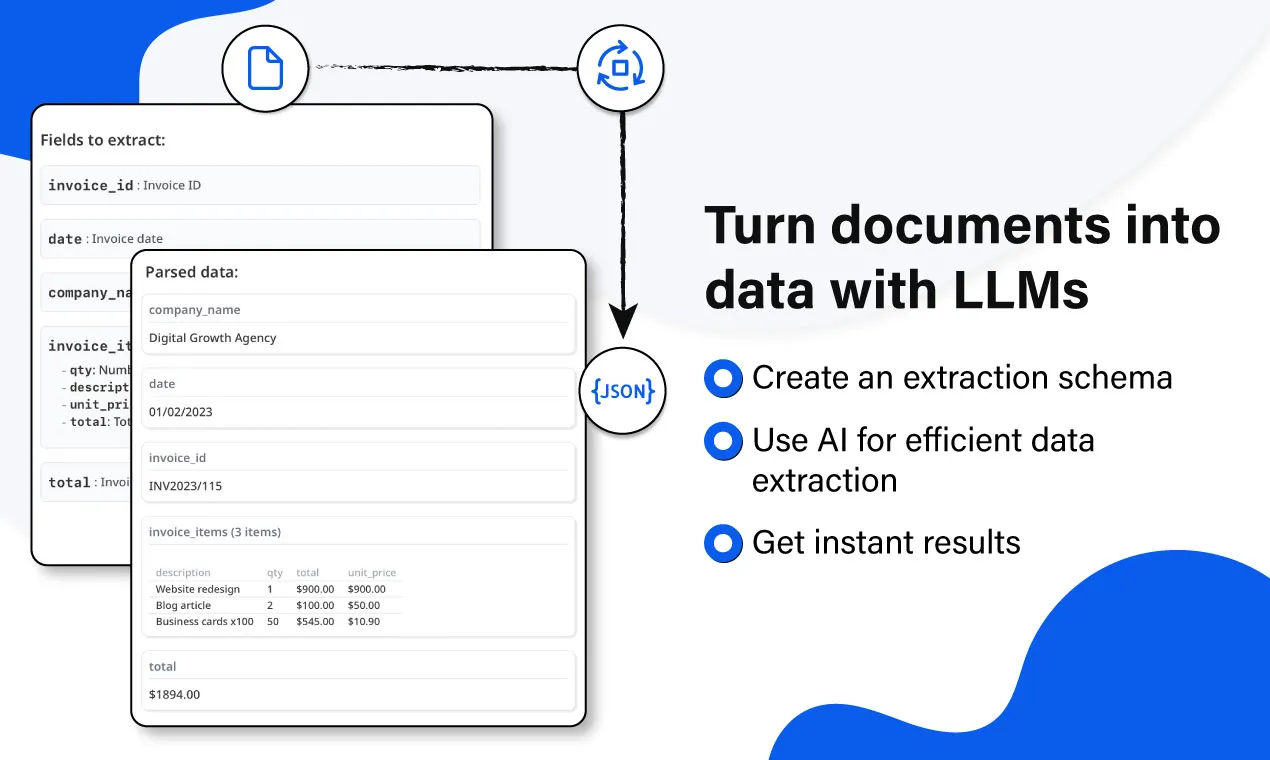
Airparser takes a fundamentally different approach: instead of configuring templates or relying on pre-trained models, you simply describe the fields you want to extract. The LLM reads the document and returns structured data — regardless of layout.
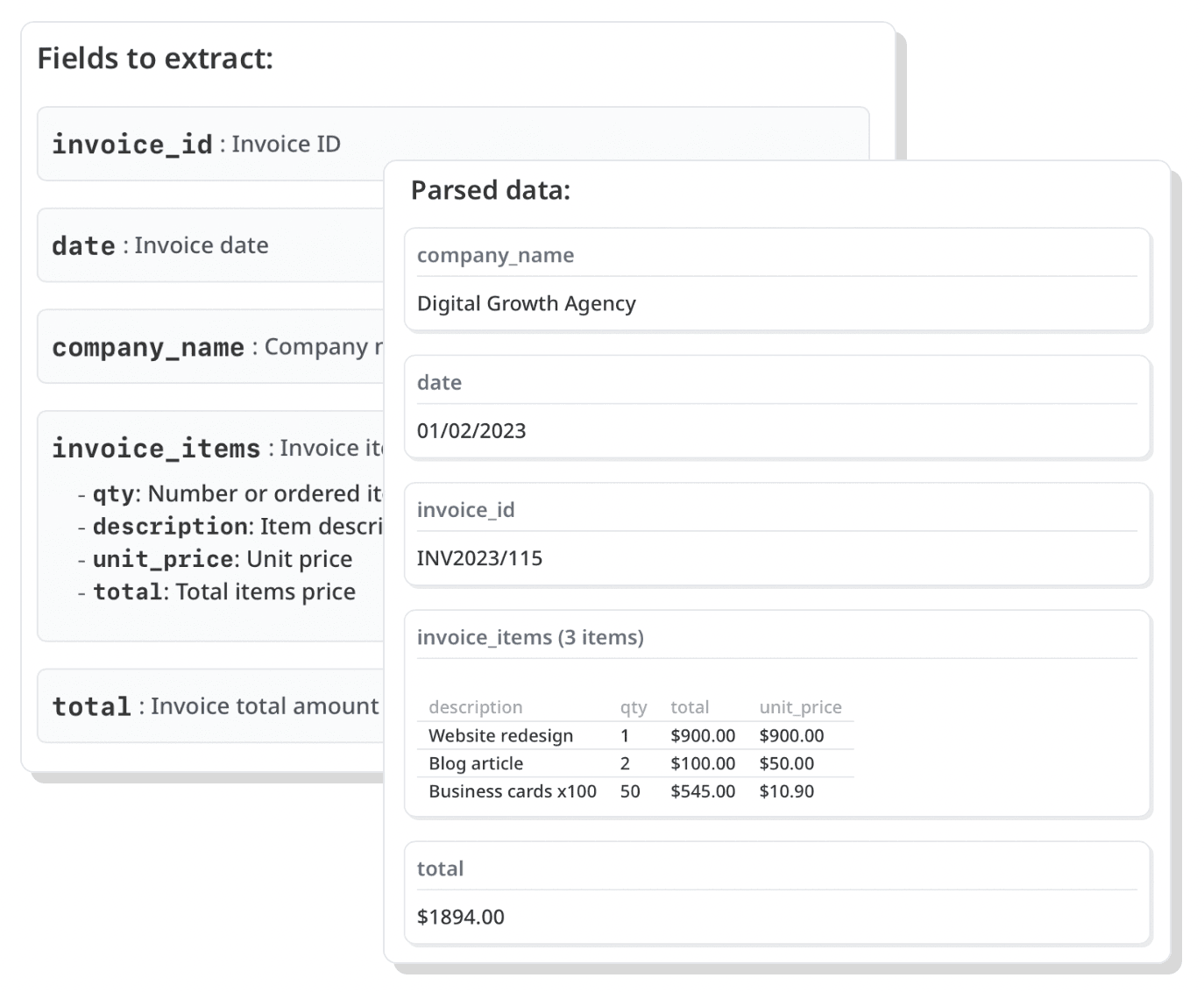
Define fields, AI does the rest
No templates, no rules. Just name the fields you need and Airparser's LLM extracts them from any document — even ones you've never seen before.
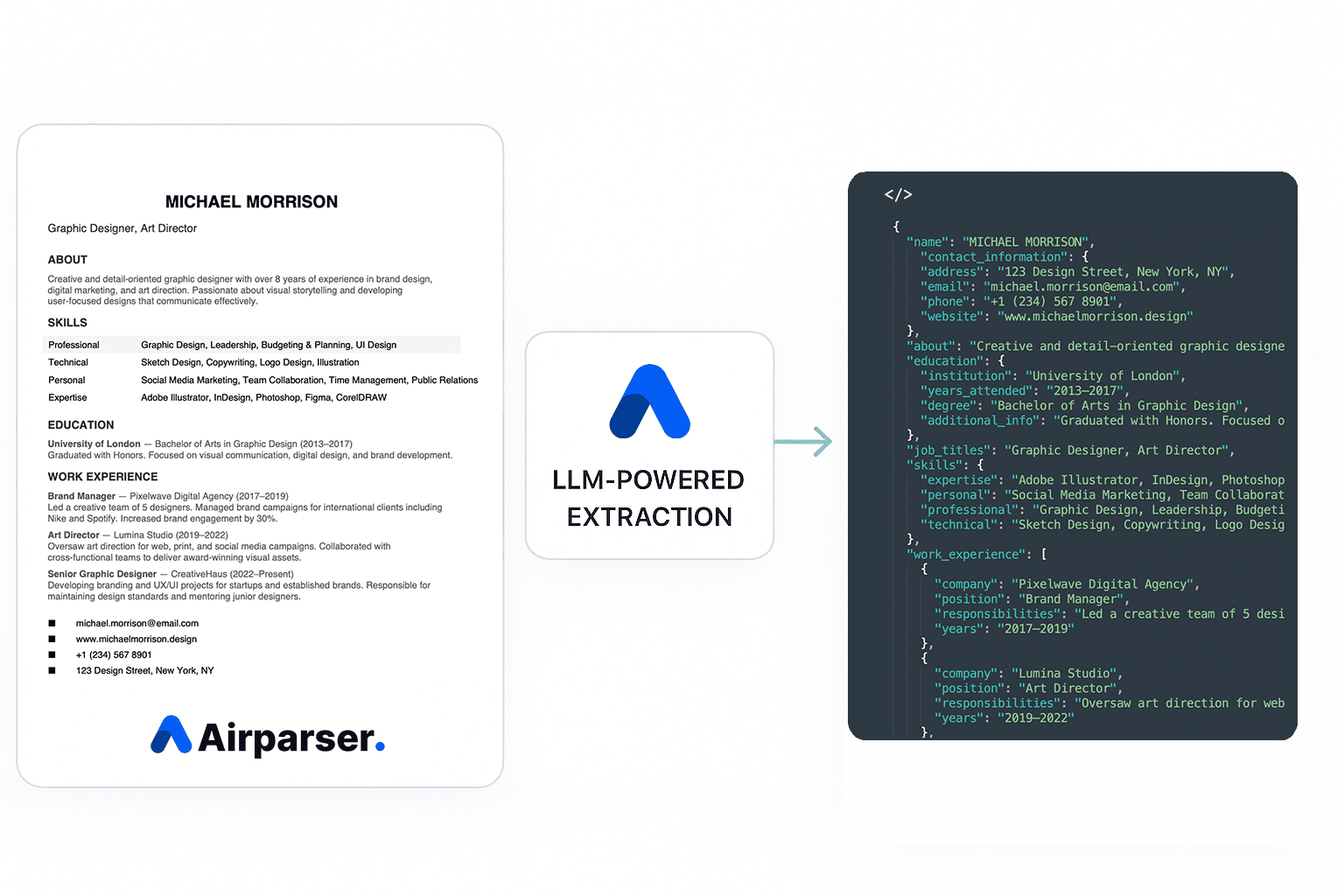
Any document type
CVs, job applications, contracts, custom forms, emails — if a human can read it, Airparser can parse it. No pre-trained model required.
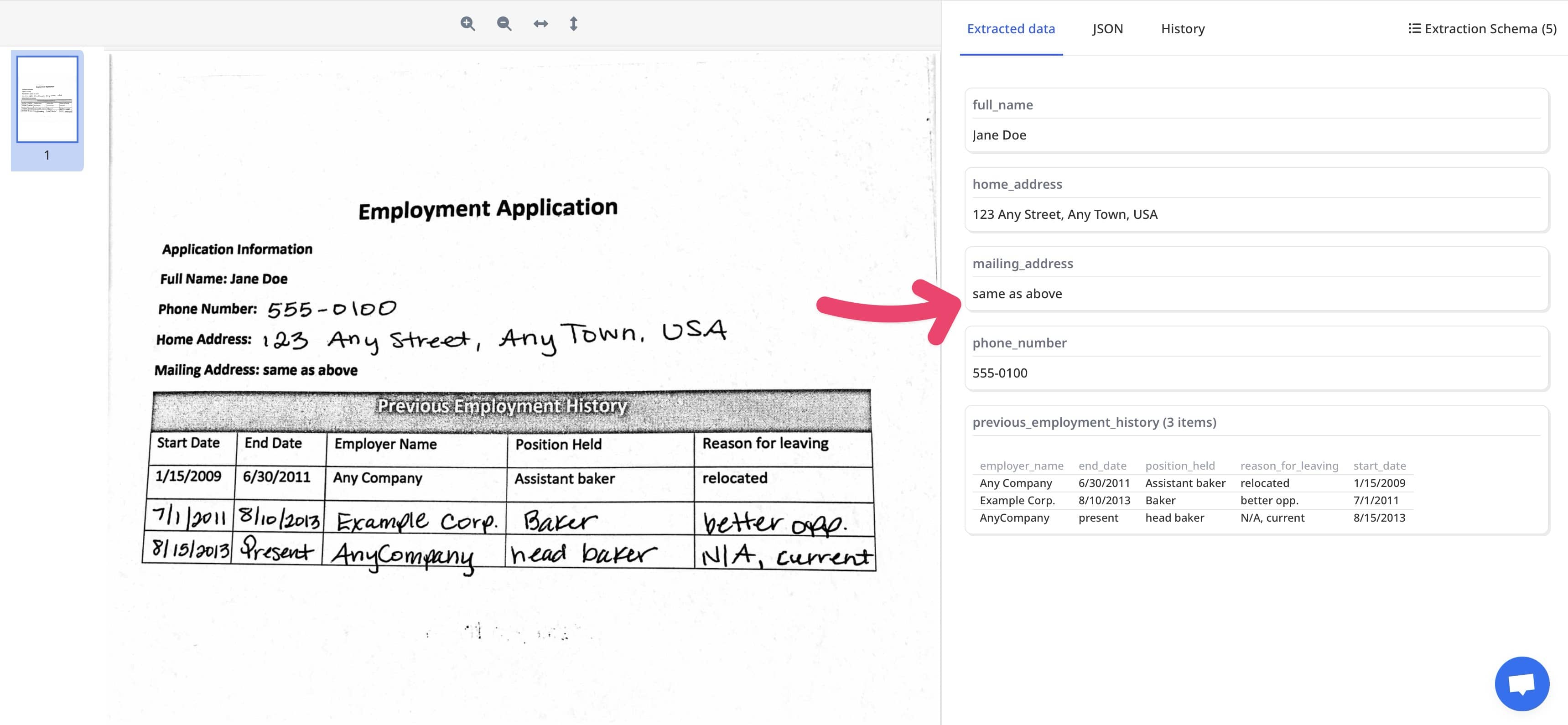
Complex tables & unstructured data
Extract tables, line items, and nested data from PDFs and spreadsheets where layout varies document by document.
What you get with Airparser
Purpose-built for flexibility — Airparser handles the documents that rule-based and template parsers can't.
LLM-powered extraction
Uses large language models to understand document context and extract any field you need — without training a model or writing rules.
Schema-based setup
Define a simple extraction schema by listing the fields you want. Airparser handles the rest, across any document format.
Any document type
CVs, contracts, custom forms, emails, spreadsheets, handwritten notes — Airparser is not limited to pre-trained document categories.
Handwriting recognition
Extract data from handwritten text in PDFs and images — something template-based parsers cannot handle.
Varying layouts
Works even when document layouts change between senders or versions. The LLM adapts without any reconfiguration.
Same integrations
Connect to the tools you already use — Google Sheets, Zapier, Make, Webhooks, and more. Identical integration ecosystem to Parsio.
Ready to start extracting data?
Both tools are free to start. Pick the one that fits your documents.
Parsio
Pre-trained AI models for invoices, receipts, bank statements, ID docs, and email parsing. Fast setup, no configuration needed for common document types.
Get started free Airparser
LLM-powered parser for any document type. Just define your fields and let AI handle the extraction — no templates, no rules, no limits.
Get started free